Cursive Font Generator — 𝒸𝓊𝓇𝓈𝒾𝓋𝑒 Unicode Text
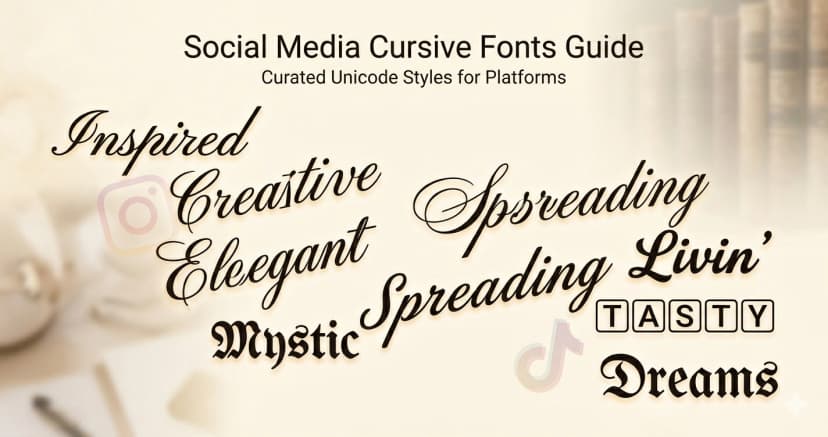
Cursive font brings the flowing, handwritten quality of calligraphy into plain Unicode text. Our generator uses the Unicode Mathematical Script block — the same characters used in formal mathematical notation, now widely used for elegant social media styling.
𝐸𝓋𝑒𝓇𝓎𝓉𝒽𝒾𝓃𝑔 𝓎𝑜𝓊 𝓉𝓎𝓅𝑒 𝒷𝑒𝒸𝑜𝓂𝑒𝓈 𝒸𝓊𝓇𝓈𝒾𝓋𝑒 𝒾𝓃𝓈𝓉𝒶𝓃𝓉𝓁𝓎.
What Is Cursive Unicode Font?
Cursive Unicode characters come from the Mathematical Script block (U+1D400–U+1D7FF). These letterforms were standardized for use in mathematical typesetting — where script letters represent special sets and spaces — but their flowing, calligraphic appearance made them popular for aesthetic social media text.
Unlike bold cursive (Mathematical Bold Script), standard cursive uses thinner, more delicate strokes — closer to the look of an ink pen than a broad calligraphic nib.
Cursive Alphabet
Uppercase: 𝒜 𝐵 𝒞 𝒟 𝐸 𝐹 𝒢 𝐻 𝐼 𝒥 𝒦 𝐿 𝑀 𝒩 𝒪 𝒫 𝒬 𝑅 𝒮 𝒯 𝒰 𝒱 𝒲 𝒳 𝒴 𝒵
Lowercase: 𝒶 𝒷 𝒸 𝒹 𝑒 𝒻 𝑔 𝒽 𝒾 𝒿 𝓀 𝓁 𝓂 𝓃 𝑜 𝓅 𝓆 𝓇 𝓈 𝓉 𝓊 𝓋 𝓌 𝓍 𝓎 𝓏
Where to Use Cursive Text
Instagram bios and display names — cursive conveys elegance, creativity, and a personal, handwritten quality. Well-suited to lifestyle, beauty, cottagecore, and artistic accounts.
Discord display names — the thinner strokes of cursive stand out against Discord's dark interface without the heavier weight of bold cursive.
Twitter / X display names — at 50 characters, the display name gives enough space for a full name in cursive script.
Wedding and event captions — cursive text in captions and announcements matches the aesthetic of formal events without requiring graphic design tools.
Aesthetic TikTok bios — within the 80-character limit, cursive text creates visual distinction while using the same character count as plain text.
Comparing Cursive Styles
| Style | Example | Best For |
|---|---|---|
| Cursive | 𝒸𝓊𝓇𝓈𝒾𝓋𝑒 | Delicate, elegant, refined |
| Bold Cursive | 𝓑𝓸𝓵𝓭 𝓒𝓾𝓻𝓼𝓲𝓿𝓮 | Expressive, feminine, warm |
| Italic | 𝘪𝘵𝘢𝘭𝘪𝘤 | Subtle emphasis, minimal |
Standard cursive is the most delicate of the script styles — it reads as refined and elegant rather than bold or decorative.
How to Use the Cursive Generator
- Type or paste your text into the generator above
- Instantly see your text in 𝒸𝓊𝓇𝓈𝒾𝓋𝑒 Unicode style
- Click to copy any variant
- Paste anywhere — Instagram, Twitter, Discord, WhatsApp
Cursive Copy-Paste Examples
Ready-to-use cursive text for common use cases:
Elegant bio taglines: 𝒸𝓇𝑒𝒶𝓉𝒾𝓃𝑔 𝓌𝒾𝓉𝒽 𝓁𝑜𝓋𝑒
Display name styling: 𝒜𝓁𝑒𝓍𝒶𝓃𝒹𝓇𝒶 · 𝒩𝑜𝓋𝒶 · 𝐸𝓁𝓁𝑒
Wedding and event captions: 𝒮𝒶𝓎 𝐼 𝒟𝑜 · 𝒞𝑒𝓁𝑒𝒷𝓇𝒶𝓉𝒾𝓃𝑔 𝒰𝓈
Lifestyle and aesthetic bios: 𝒷𝑜𝑜𝓀𝓈 · 𝓉𝑒𝒶 · 𝓈𝓊𝓃𝓁𝒾𝑔𝒽𝓉
Generate your own with the cursive generator above.
Cursive Font — FAQ
What is the difference between cursive and bold cursive?
Cursive uses Unicode Mathematical Script characters — thinner, more delicate strokes that resemble a fine pen or pencil. Bold cursive uses Unicode Mathematical Bold Script — the same flowing letterforms but with heavier, filled strokes. Cursive is more refined; bold cursive is more expressive and warm.
Does cursive Unicode text work on Instagram?
Yes. Instagram supports Unicode Mathematical Script characters in bios, display names, and captions. The text renders correctly on iOS and Android and counts as regular characters — no hidden character penalty.
Why do some cursive uppercase letters look like regular letters?
A handful of uppercase letters in the Unicode Mathematical Script block are assigned to characters that look identical or near-identical to their standard Latin counterparts. This is a Unicode encoding decision — those specific letterforms were not given distinct cursive variants. The lowercase alphabet is more uniformly distinctive.
Can I use cursive text in a wedding invitation or formal announcement?
Yes. Cursive Unicode text works in any platform that accepts plain text — captions, bios, DMs, email subjects, SMS. For formal print, you'd need a real font file, but for digital announcements the Unicode cursive style works well.
Does cursive work in Discord usernames?
Yes. Discord allows Unicode Mathematical Script characters in display names, usernames, and bios. The cursive style renders correctly in Discord's interface on desktop and mobile.
Download as Image
The Download as Image tool on this page lets you export any text in Cursive style as a PNG or WebP file — perfect for profile pictures, thumbnails, social media posts, or any design that needs styled Unicode text as a real image. You can also generate a shareable link that opens your image directly in a browser — no file attachment needed, just copy the URL and share it anywhere.
What you can customize
- Format — PNG or WebP
- Size — 512×512, 1024×1024, 1200×630 (OG image), or 1080×1080 (Instagram)
- Custom size — enter any width and height in pixels for a fully custom canvas
- Text color and background color — full color picker
- Transparent background — export with no background for overlays and design work
- Font size — slider from small to large
- Line height — control spacing between lines
- Letter spacing — tighten or widen the space between characters
- Text alignment — left, center, or right
- Drag to reposition — click and drag the text on the canvas to place it anywhere
- Multi-line text — type multiple lines for quotes, stacked names, or combinations
- Copy image — copy the image directly to clipboard without saving a file
- Copy shareable link — generate a direct URL to your image that you can share anywhere