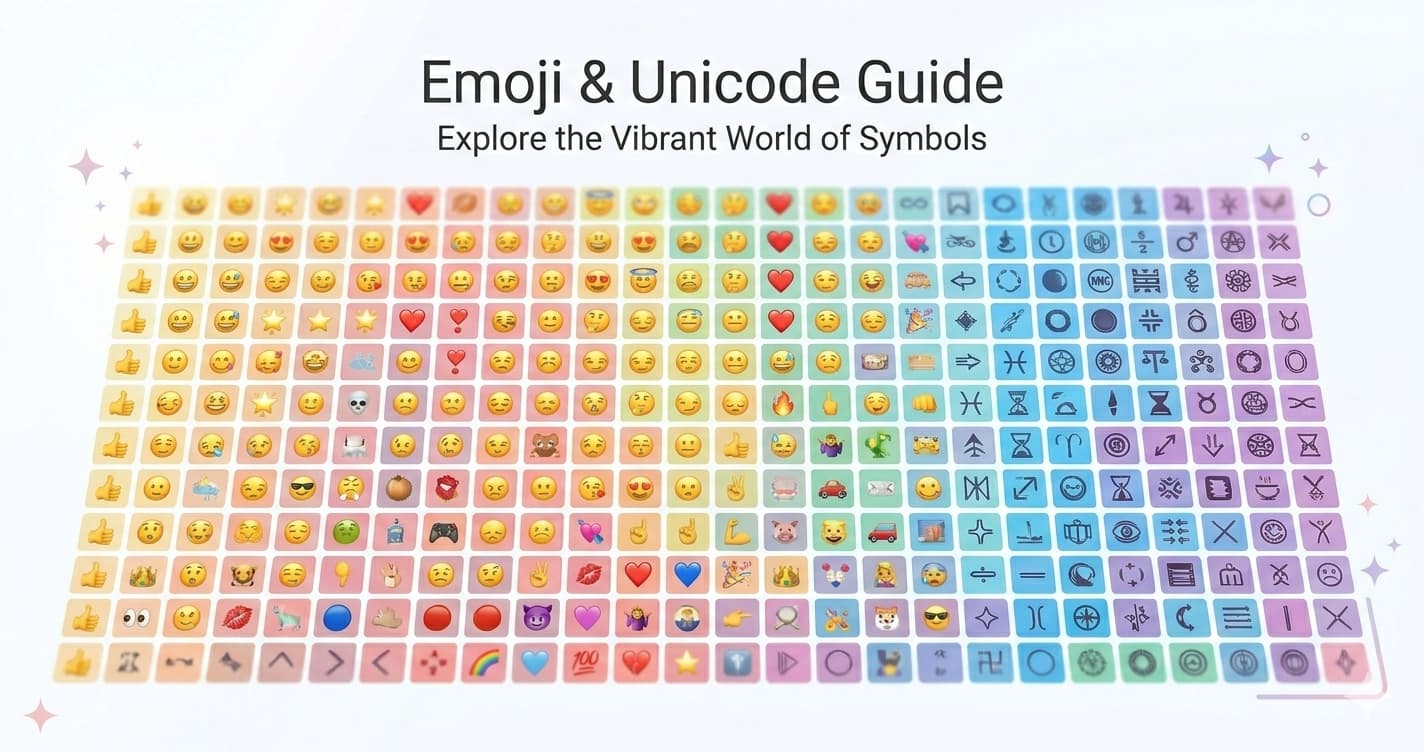
Emoji and Unicode — The Complete History of How Pictographs Became a Global Language
Emoji are the most widely used writing system invented in the 21st century. More emoji are sent per day than words in any individual human language. They appear in legal documents, diplomatic communications, academic papers, and the supreme court filings of multiple countries. And they're Unicode characters — text, not images — which is why they work across every platform, device, and operating system without anyone installing anything.
Understanding how emoji actually work — technically, historically, and culturally — changes how you use them.
The Origin: 176 Pixels in 1999
Emoji were invented by Shigetaka Kurita, an engineer at NTT DoCoMo, Japan's largest mobile carrier, in 1999.
The context: NTT DoCoMo was launching i-mode, a mobile internet service that let users access email, news, weather, and basic web content on early mobile phones. The i-mode interface was primitive by modern standards — small screens, limited color, slow connections. DoCoMo wanted to make the interface more expressive and engaging.
Kurita designed a set of 176 pictographic characters at 12×12 pixels each — the first emoji set. The word "emoji" (絵文字) combines 絵 (e, picture) + 文字 (moji, character). It's a Japanese compound, not a play on "emotion" — though the phonetic similarity in English is coincidental and apt.
The 176 original emoji covered practical categories: weather (sun ☀, cloud, rain, snow), transportation (train 🚃, car, airplane ✈), time (clock faces), communication (phone, mail ✉), emotions (heart ❤, faces), and Japanese cultural elements (hot springs ♨, bamboo, wave).
They weren't designed to be cute or expressive in the modern sense — they were functional icons for a text-limited messaging interface. But they became enormously popular immediately. DoCoMo's competitors — SoftBank and KDDI — launched their own competing emoji sets. The three carriers used different code assignments for their emoji, creating immediate compatibility problems: an emoji sent from a SoftBank phone might appear as garbage on a DoCoMo phone.
The Carrier Wars: Three Incompatible Emoji Sets
Through the 2000s, Japan's three mobile carriers maintained incompatible emoji encodings. A ❤ heart emoji was encoded differently on each network. Cross-carrier emoji messages required transcoding — each carrier had to maintain translation tables converting the other carriers' emoji codes to their own.
This worked badly. Some emoji had no equivalent on other networks and arrived as boxes or question marks. The heart emoji — the most commonly sent emoji — was encoded at different positions on each carrier, producing frequent incompatible renderings.
The carrier emoji war is why the Unicode standardization of emoji mattered: a single universal code point for each emoji that every platform would interpret the same way.
Google and Apple Push for Unicode Standardization
By 2006–2007, Google and Apple were both preparing to launch mobile email and messaging services in Japan — and both had to deal with the carrier emoji incompatibility.
Google proposed adding emoji to Unicode in 2006, working with Markus Scherer and Mark Davis at the Unicode Consortium. The proposal included the full emoji sets from all three Japanese carriers, proposing Unicode code points for each unique emoji across all three networks.
Apple launched the iPhone in Japan in 2008 with emoji keyboard support — using a private encoding that matched the carrier encodings. iOS users in Japan could send emoji; users in the US with US iPhones couldn't receive them. Apple separately worked with the Unicode Consortium on standardization.
Unicode 6.0 (2010) was the turning point: the Unicode Consortium encoded 722 emoji characters, covering the core Japanese carrier emoji and additional emoji proposed by Apple, Google, and others. For the first time, there was a single, platform-neutral code for each emoji.
This didn't immediately solve cross-platform appearance differences — each platform still needed to design and render its own glyphs for each emoji code point. But it solved the encoding problem: the same emoji was now the same code point everywhere, allowing correct transmission even if the visual rendering differed.
Why Emoji Look Different on Every Platform
This is the question people ask most often about emoji: why does 😂 look different on iPhone vs. Android vs. Windows vs. Twitter?
The answer: emoji are Unicode code points, not images. Each platform is responsible for providing its own glyph — the visual image — for each code point.
Apple Color Emoji — Apple's emoji typeface, shipping since iOS 4 (2010). Rendered as bitmap images with detailed shading, gradients, and three-dimensional appearance. Updated with each iOS/macOS release.
Google's Noto Emoji — Google's open-source emoji font, now used on Android. Earlier Android versions used different designs. The Noto Emoji set is available as an open-source font.
Twitter/X's Twemoji — Twitter's open-source emoji set, used on Twitter/X and adopted by many other platforms and applications. Flat, bold design with clear outlines.
Microsoft's Fluent Emoji — Microsoft's current emoji set, introduced with Windows 11. 3D-rendered with a distinct visual style.
WhatsApp Emoji — WhatsApp maintains its own emoji set distinct from the platform it runs on (i.e., WhatsApp on iOS uses WhatsApp's emoji, not Apple's).
| Platform | Emoji Set | Design Style |
|---|---|---|
| iOS / macOS | Apple Color Emoji | 3D, detailed, photorealistic shading |
| Android (current) | Google Noto Emoji | Flat, simplified |
| Windows 11 | Microsoft Fluent Emoji | 3D, playful |
| Twitter/X | Twemoji | Flat, bold, outlined |
| WhatsApp proprietary | 3D-ish, rounded | |
| Samsung devices | Samsung's own set | Distinct from Google's |
This is why cross-platform emoji miscommunication happens. The code point for 😬 (GRIMACING FACE) is U+1F62C everywhere. But Apple's grimacing face has a different emotional register than Google's version — the differences in rendering produce genuine miscommunication between users on different platforms.
A study by GroupLens Research (University of Minnesota, 2016) found that the same emoji code point was interpreted differently by users depending on which platform's rendering they saw. The grimacing face 😬 was rated as negative by users seeing Apple's version and as positive by users seeing Google's older version — because the renderings conveyed different emotional tones.
How Emoji Sequences Work
Modern emoji are more complex than single code points. Several mechanisms allow emoji to be combined, modified, or joined into composite emoji:
Skin Tone Modifiers
Unicode 8.0 (2015) introduced five Fitzpatrick skin tone modifier characters (U+1F3FB–U+1F3FF), derived from the Fitzpatrick scale used in dermatology:
| Modifier | Code Point | Skin Tone |
|---|---|---|
| 🏻 | U+1F3FB | Light |
| 🏼 | U+1F3FC | Medium-Light |
| 🏽 | U+1F3FD | Medium |
| 🏾 | U+1F3FE | Medium-Dark |
| 🏿 | U+1F3FF | Dark |
These modifiers follow a base emoji (like 👋) to produce skin-toned variants: 👋🏻 👋🏼 👋🏽 👋🏾 👋🏿. The sequence is two Unicode code points — the base emoji plus the modifier — but renders as a single emoji on platforms that support it. On platforms that don't support skin tone modifiers, the two characters appear separately.
Zero-Width Joiner Sequences
The Zero Width Joiner (ZWJ, U+200D) is a Unicode character that joins two emoji into a single combined emoji. ZWJ sequences encode complex emoji that would require too many individual code points if each combination were separately encoded.
Family emoji are ZWJ sequences: 👨👩👧👦 = 👨 + ZWJ + 👩 + ZWJ + 👧 + ZWJ + 👦
That single family emoji is 7 Unicode code points (4 emoji + 3 ZWJs). On a platform that supports the ZWJ sequence, it renders as one combined image. On a platform that doesn't, it renders as the four individual emoji: 👨👩👧👦.
Profession emoji use ZWJ sequences combining a person emoji with a tool or profession symbol: 👩💻 = 👩 (WOMAN) + ZWJ + 💻 (LAPTOP) = Woman Technologist
Gender variants use ZWJ sequences: 🧑🍳 (Cook, gender-neutral) = 🧑 + ZWJ + 🍳
Flag emoji are a different mechanism — Regional Indicator Symbols. The 26 Regional Indicator letters (U+1F1E6–U+1F1FF) are invisible on their own but combine in pairs to form country flag emoji: 🇺🇸 = 🇺 + 🇸 (US).
Emoji as Text: The Copy-Paste Reality
Because emoji are Unicode code points, they behave exactly like text characters in almost all contexts:
They copy-paste: An emoji copied from one platform pastes correctly to another, where it renders using the destination platform's emoji font.
They work in any Unicode text field: Instagram bios, TikTok display names, Discord status, Twitter bios, email subjects, document titles, file names.
They survive encoding changes: As long as the receiving system is UTF-8 compatible (which all modern systems are), emoji characters in text will display correctly.
They have a character count: Each emoji typically counts as 1 character in platform character limits. Some emoji (especially ZWJ sequences) may count as multiple characters depending on how the platform measures length — by Unicode code points vs. by grapheme clusters (user-perceived characters).
Emoji in Character-Limited Fields
| Platform | Display Name Limit | How Emoji Count |
|---|---|---|
| TikTok | 30 chars | 1 character each |
| 30 chars | 1 character each | |
| Twitter/X | 50 chars | 2 characters each (Twitter uses UTF-16) |
| Discord | 32 chars | 1 character each |
Twitter's 2-character count for emoji is a notable exception: Twitter measures character length using UTF-16 encoding, where most emoji require 2 code units (a "surrogate pair") rather than 1. This means a Twitter display name with emoji uses budget faster than the same name on TikTok or Instagram.
Emoji in Social Media Profiles: Practical Guide
As Separators
Emoji between bio sections serve as visual separators with personality:
photographer 📷 · traveler ✈️ · coffee addict ☕
The emoji provide separation (replacing the middle dot or pipe character) while adding thematic content. This is the most common bio emoji pattern.
As Category Markers
Emoji at the start of bio lines signal category:
📍 New York
🎓 UX Designer
💼 Freelance
🔗 portfolio below
Each emoji functions as an icon label, creating scannable structure in an otherwise plain-text field.
As Aesthetic Elements
For accounts where the aesthetic identity is central, emoji reinforce the visual tone:
✨🌸💕— soft, feminine, cute🖤🌑💀— dark aesthetic🌿🍃🌾— cottagecore, nature💻🔧⚙️— tech, engineering📚✏️🎓— academic, study
As Text Alternatives
Some emoji function as ideographic alternatives to words in space-limited contexts:
- 📍 = location
- 💌 = email / DMs
- 🔗 = link
- 💬 = available to chat
- 🚀 = launching / building
The Emoji Vocabulary: How Grammar Emerged
Emoji have developed usage conventions — a grammar of sorts — that operates alongside or instead of linguistic text:
The tone marker: A single emoji at the end of a message signals tone. 😊 at the end of a neutral statement softens it. 😂 at the end of a complaint signals humor. ❤️ at the end of a bio signals warmth. The emoji doesn't add meaning to the text — it colors the register.
The subject-verb-object sequence: Complex emoji sequences (🙋♀️➡️🏋️♀️ = "I'm going to the gym") use emoji as ideographs in sequential arrangement. This is analogous to how Egyptian hieroglyphs combined pictographic and phonetic elements.
The replacement: Some words are systematically replaced by emoji in specific communities — 💀 = "I'm dead (laughing)" in Gen Z internet language, 🐐 = GOAT (Greatest Of All Time), 🐍 = snake (used disparagingly of someone being two-faced).
The ironic use: Emoji used in ways that undercut their literal meaning — ✅ on a statement being confirmed ironically, 😊 attached to a passive-aggressive comment.
Unicode Emoji: The Ongoing Standard
The Unicode Consortium has a Emoji Subcommittee that reviews proposals for new emoji and decides which to add to each Unicode version. The process is open — anyone can submit an emoji proposal — but approvals require the emoji to meet criteria including:
- Distinctiveness: Not already representable by existing emoji or ZWJ sequences
- Usage frequency: Evidence that the symbol would be widely used
- Compatibility: Technical compatibility with existing emoji rendering systems
- Multi-platform usability: Possible to design with coherent meaning across rendering styles
Recent additions focus on filling gaps in representation (more diverse human figures, flags for regions and communities, new food categories) rather than expanding into new symbol categories.
The emoji set is now large enough that discoverability has become a problem — finding a specific emoji in a keyboard of 3,600+ options requires search. Most users have a small active vocabulary of 50–100 emoji they use regularly, drawing on a larger passive vocabulary for occasional use.
Emoji, Text Art, and Kaomoji
Emoji intersect with older text-art traditions:
Kaomoji (顔文字, "face characters") are Japanese text-face emoticons assembled from Unicode characters: (`・ω・´), (╯°□°)╯︵ ┻━┻, ¯_(ツ)_/¯. Unlike Western emoticons (:-)), kaomoji are read face-on rather than tilted, and use characters from multiple Unicode blocks (Latin, Japanese, box-drawing, punctuation) to create expressive faces.
Text art (Unicode art) uses characters from block elements, geometric shapes, and other Unicode blocks to create pictures from text — the modern descendant of ASCII art, with a much larger character set available.
Emoji art: Using sequences of emoji to represent scenes, objects, or narratives — a simplified form of text art using only emoji characters.
All of these are expressions of the same impulse: using the character set available in plain text to create meaning beyond what language alone conveys.
Why Any of This Matters for Profile Optimization
The practical implication of understanding emoji as Unicode:
- Emoji work in every text field on every platform because they're text, not images
- Emoji character count behavior varies by platform (especially Twitter's UTF-16 counting)
- ZWJ sequence emoji may count as multiple characters on character-limited platforms
- Cross-platform emoji rendering varies — an emoji that looks right on iOS may have a different emotional register on Android
- Emoji combine naturally with Unicode styled text (Bold Cursive, Gothic, Vaporwave) because they're all Unicode
For profile optimization, the most reliable emoji choices are those with consistent rendering across Apple, Google, and Twitter — basic faces, hearts, common objects. ZWJ sequences (family emoji, profession combinations) have more variable rendering.
Find and Copy Emoji and Unicode Symbols
Every Unicode styled font style — Bold, Cursive, Gothic, Vaporwave, Bubble, Small Caps, and more — alongside copy-ready text at Lettertype. Combine with emoji in any text field for social media profiles, bios, display names, and captions across all platforms.