Gothic Font Generator — 𝔊𝔬𝔱𝔥𝔦𝔠 𝔉𝔯𝔞𝔨𝔱𝔲𝔯 Text
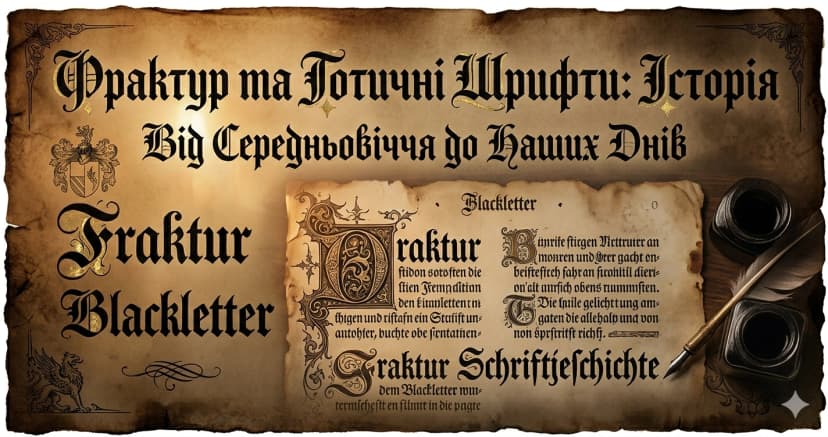
Gothic font — also known as fraktur, blackletter, or Old German script — is one of the most recognizable typeface families in history. Our generator converts your text into Unicode Gothic characters that work anywhere: Instagram bios, Discord, tattoo references, band names, and dark aesthetic profiles.
𝔚𝔯𝔦𝔱𝔢 𝔦𝔫 𝔱𝔥𝔢 𝔰𝔱𝔶𝔩𝔢 𝔬𝔣 𝔪𝔢𝔡𝔦𝔢𝔳𝔞𝔩 𝔪𝔞𝔫𝔲𝔰𝔠𝔯𝔦𝔭𝔱𝔰.
What Is Gothic Fraktur Font?
Gothic fraktur is a script style that developed in German-speaking Europe during the 12th century. Characterized by angular, broken strokes and elaborate capital letters, it was the dominant typeface for German printing from the 15th to the mid-20th century.
The Unicode Gothic characters used here come from the Mathematical Fraktur block (U+1D504–U+1D537), designed for mathematical use but universally adopted for decorative and gothic aesthetic text online.
Gothic Fraktur Alphabet
Uppercase: 𝔄 𝔅 ℭ 𝔇 𝔈 𝔉 𝔊 ℌ ℑ 𝔍 𝔎 𝔏 𝔐 𝔑 𝔒 𝔓 𝔔 ℜ 𝔖 𝔗 𝔘 𝔙 𝔚 𝔛 𝔜 ℨ
Lowercase: 𝔞 𝔟 𝔠 𝔡 𝔢 𝔣 𝔤 𝔥 𝔦 𝔧 𝔨 𝔩 𝔪 𝔫 𝔬 𝔭 𝔮 𝔯 𝔰 𝔱 𝔲 𝔳 𝔴 𝔵 𝔶 𝔷
History of Gothic Typography
Gothic typefaces have a rich history spanning centuries:
- 12th century — Textura quadrata develops in Northern European monasteries as a compressed, angular script for manuscripts
- 15th century — Johannes Gutenberg uses a fraktur-style typeface for his famous Bible, the first major printed book in Europe
- 16th–19th century — Fraktur remains the standard typeface for German-language publishing
- 20th century — Gothic fonts find new life in newspaper mastheads, band logos, and tattoo culture
- Today — Unicode gothic letters are widely used for Instagram bios, aesthetic profiles, and dark/metal subcultures online
Where to Use Gothic Font
Instagram bios — gothic text creates an instantly recognizable dark, mysterious, or premium aesthetic.
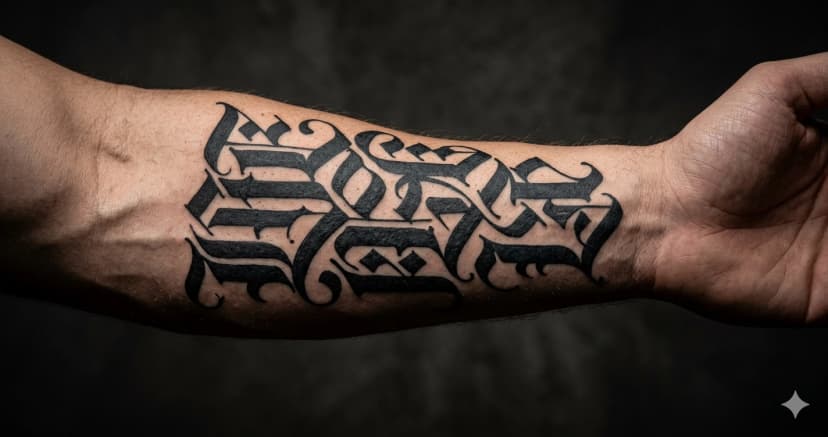
Tattoo inspiration — gothic fraktur is one of the most popular tattoo lettering styles. Use the generator to preview how a word or name looks before committing to ink.
Band and music project names — metal, black metal, and dark ambient artists frequently use fraktur for logos and social media.
Discord usernames — gothic usernames stand out dramatically in server lists.
Streetwear and fashion — gothic typography is a staple of high-end streetwear brands and underground fashion labels.
Gothic vs Old English
| Style | Example | Origin |
|---|---|---|
| Gothic/Fraktur | 𝔤𝔬𝔱𝔥𝔦𝔠 | German blackletter tradition |
| Old English | 𝔤𝔬𝔱𝔥𝔦𝔠 | English blackletter tradition |
The terms are often used interchangeably online, though technically fraktur refers to the German style and Old English to the English blackletter tradition. Both share the angular, broken-stroke aesthetic.
How to Use the Gothic Font Generator
- Type or paste your text above
- See it convert to 𝔤𝔬𝔱𝔥𝔦𝔠 𝔣𝔯𝔞𝔨𝔱𝔲𝔯 style
- Click any output to copy it
- Paste into Instagram, Discord, tattoo mockups, or anywhere that supports Unicode
Gothic Copy-Paste Examples
Ready-to-use gothic text:
Dark aesthetic bio: 𝔡𝔞𝔯𝔨𝔫𝔢𝔰𝔰 · 𝔪𝔶𝔰𝔱𝔢𝔯𝔶 · 𝔪𝔬𝔬𝔫
Band and music names: 𝔗𝔥𝔢 𝔙𝔬𝔦𝔡 · 𝔅𝔩𝔞𝔠𝔨 𝔖𝔱𝔬𝔫𝔢
Tattoo preview text: 𝔫𝔢𝔳𝔢𝔯 𝔣𝔞𝔡𝔢 · 𝔟𝔬𝔯𝔫 𝔣𝔯𝔢𝔢
Discord usernames: 𝔙𝔬𝔦𝔡𝔚𝔞𝔩𝔨𝔢𝔯 · 𝔖𝔥𝔞𝔡𝔬𝔴𝔩𝔬𝔯𝔡
Generate yours with the gothic generator above.
Gothic Font — FAQ
Is gothic font the same as Old English?
Online, the terms are often used interchangeably. Technically, fraktur (this generator) is the German blackletter tradition, and Old English refers to the English blackletter tradition. Both use angular, broken strokes — but their letterforms differ in specific details. The Lettertype Old English generator uses a different Unicode block from the gothic fraktur here.
Do gothic Unicode characters work for tattoo references?
Yes. Many tattoo artists accept Unicode fraktur text as a style reference for lettering tattoos. The generator lets you preview your exact text in gothic style before your appointment. For the actual tattoo, your artist will use proper tattoo lettering tools — but this is an accurate representation of the fraktur style.
Does gothic text work on Instagram?
Yes. Instagram supports Unicode Mathematical Fraktur characters in bios, display names, and captions. Gothic text renders correctly on iOS and Android and counts as one character per letter.
Why do some gothic uppercase letters look different?
Several uppercase Mathematical Fraktur letters are assigned to standalone Unicode symbols rather than new Fraktur codepoints — specifically ℭ (C), ℌ (H), ℑ (I), ℜ (R), and ℨ (Z). These are older Unicode symbols that predate the Mathematical Fraktur block. They display correctly in context.
Can I use gothic text for a Spotify artist name?
Yes. Spotify artist names and bio fields support Unicode characters including gothic fraktur. Metal, black metal, and dark aesthetic artists use gothic text in their Spotify names to match their visual brand.
Download as Image
The Download as Image tool on this page lets you export any text in Gothic style as a PNG or WebP file — perfect for profile pictures, thumbnails, social media posts, or any design that needs styled Unicode text as a real image. You can also generate a shareable link that opens your image directly in a browser — no file attachment needed, just copy the URL and share it anywhere.
What you can customize
- Format — PNG or WebP
- Size — 512×512, 1024×1024, 1200×630 (OG image), or 1080×1080 (Instagram)
- Custom size — enter any width and height in pixels for a fully custom canvas
- Text color and background color — full color picker
- Transparent background — export with no background for overlays and design work
- Font size — slider from small to large
- Line height — control spacing between lines
- Letter spacing — tighten or widen the space between characters
- Text alignment — left, center, or right
- Drag to reposition — click and drag the text on the canvas to place it anywhere
- Multi-line text — type multiple lines for quotes, stacked names, or combinations
- Copy image — copy the image directly to clipboard without saving a file
- Copy shareable link — generate a direct URL to your image that you can share anywhere — Discord, Telegram, social media, or embed in a website
Explore More Unicode Font Generators
- MessLetters Generator
- Bold Cursive Font Generator
- Italic Font Generator
- Bold Italic Font Generator
- Monospace Font Generator
- Vaporwave Font Generator
- Double Struck Font Generator
- Small Caps Font Generator
- Bubble Font Generator
- Bubble Filled Font Generator
- Square Font Generator
- Square Filled Font Generator