Monospace Font Generator — 𝚖𝚘𝚗𝚘𝚜𝚙𝚊𝚌𝚎 Unicode Text
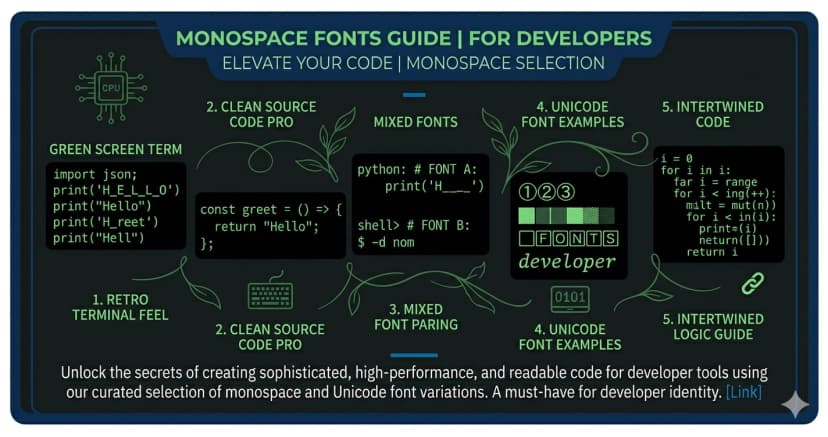
Monospace font gives every character equal width — the hallmark of terminal displays, code editors, and the classic hacker aesthetic. Our generator converts your text into Unicode monospace characters that carry this fixed-width look wherever you paste them, from GitHub bios to Discord profiles.
𝚃𝚢𝚙𝚎 𝚕𝚒𝚔𝚎 𝚊 𝚝𝚎𝚛𝚖𝚒𝚗𝚊𝚕. 𝙻𝚘𝚘𝚔 𝚕𝚒𝚔𝚎 𝚊 𝚑𝚊𝚌𝚔𝚎𝚛.
What Is Unicode Monospace Font?
Unicode monospace characters come from the Mathematical Monospace block (U+1D670–U+1D6A3). Each letter has the same horizontal width, mimicking the fixed-pitch fonts used in terminals, code editors like VS Code, and classic typewriters.
Unlike applying a monospace font family in CSS, these are actual Unicode glyphs — they look monospaced everywhere, including in social media bios, chat apps, and plain text fields.
Monospace Alphabet
Uppercase: 𝙰 𝙱 𝙲 𝙳 𝙴 𝙵 𝙶 𝙷 𝙸 𝙹 𝙺 𝙻 𝙼 𝙽 𝙾 𝙿 𝚀 𝚁 𝚂 𝚃 𝚄 𝚅 𝚆 𝚇 𝚈 𝚉
Lowercase: 𝚊 𝚋 𝚌 𝚍 𝚎 𝚏 𝚐 𝚑 𝚒 𝚓 𝚔 𝚕 𝚖 𝚗 𝚘 𝚙 𝚚 𝚛 𝚜 𝚝 𝚞 𝚟 𝚠 𝚡 𝚢 𝚣
Numbers: 𝟶 𝟷 𝟸 𝟹 𝟺 𝟻 𝟼 𝟽 𝟾 𝟿
Where to Use Monospace Text
GitHub and GitLab bios — monospace is the native language of developers. A monospace bio on a dev profile reads as authentic and technically fluent.
Discord usernames and bios — stand out in server lists with a clean, terminal-style name that signals a tech-savvy personality.
Twitter and LinkedIn — perfect for developers, engineers, and tech professionals who want their online presence to reflect their craft.
Hacker and cyberpunk aesthetic — monospace is synonymous with terminals, matrix-style text, and digital subcultures. Use it for CTF profiles, security research accounts, and tech art.
ASCII art and text formatting — monospace ensures perfect character alignment when creating text-based art or tables in plain text environments.
Monospace Numbers
Monospace also includes styled digits: 𝟶 𝟷 𝟸 𝟹 𝟺 𝟻 𝟼 𝟽 𝟾 𝟿
These are useful for dates, version numbers, and serial-style formatting that stays consistent in width.
How to Use the Monospace Generator
- Type or paste your text above
- See it instantly in 𝚖𝚘𝚗𝚘𝚜𝚙𝚊𝚌𝚎 Unicode style
- Click to copy your preferred variant
- Paste into any text field — GitHub bio, Discord, Twitter, anywhere
For individual characters, use the Browse by letter keyboard to find and copy specific monospace letters and numbers.
Monospace Copy-Paste Examples
Ready-to-use monospace text:
Developer bio: 𝚏𝚞𝚕𝚕-𝚜𝚝𝚊𝚌𝚔 · 𝚘𝚙𝚎𝚗-𝚜𝚘𝚞𝚛𝚌𝚎 · 𝚌𝚘𝚏𝚏𝚎𝚎
GitHub profile: 𝚜𝚎𝚗𝚒𝚘𝚛 𝚎𝚗𝚐𝚒𝚗𝚎𝚎𝚛 | 𝙽𝚎𝚠 𝚈𝚘𝚛𝚔
CTF/security handles: 𝚗𝚞𝚕𝚕𝚡 · 𝟶𝚡𝙰𝙲𝙴 · 𝚙𝚠𝚗𝟹𝚍
Aesthetic terminal style: 𝚎𝚡𝚎𝚌𝚞𝚝𝚒𝚗𝚐... · 𝚜𝚢𝚜𝚝𝚎𝚖 𝚘𝚗𝚕𝚒𝚗𝚎
Generate yours with the monospace generator above.
Monospace Font — FAQ
Does monospace Unicode work on GitHub?
Yes. GitHub readme files, bio fields, and profile names support Unicode Mathematical Monospace characters. Developers often use monospace Unicode in their profile bios for a clean, terminal-native look.
Is this the same as code block formatting?
No. Code blocks (using backticks in Markdown) apply a monospace font through CSS. Unicode monospace characters are the actual glyphs — they look the same everywhere, inside and outside of code blocks, even in plain text environments that don't support Markdown.
Does monospace text work on Discord?
Yes. Discord display names, bios, and custom status support Unicode monospace characters. Discord also has its own code formatting (backtick syntax) but that only renders within supported message fields. Unicode monospace works everywhere including display names.
Do monospace numbers exist?
Yes. The Unicode Monospace block includes digits 0–9 (𝟶–𝟿). These maintain the same fixed width as the letter characters, which is useful for aligning numbers in plain text tables or version strings.
Why does monospace text take up more space?
Each fullwidth Unicode monospace character occupies the same horizontal space as a Chinese, Japanese, or Korean character — wider than standard Latin letters. This is intentional: the wide spacing is part of the monospace aesthetic and character limit count remains one character per letter.
Download as Image
The Download as Image tool on this page lets you export any text in Monospace style as a PNG or WebP file — perfect for profile pictures, thumbnails, social media posts, or any design that needs styled Unicode text as a real image. You can also generate a shareable link that opens your image directly in a browser — no file attachment needed, just copy the URL and share it anywhere.
What you can customize
- Format — PNG or WebP
- Size — 512×512, 1024×1024, 1200×630 (OG image), or 1080×1080 (Instagram)
- Custom size — enter any width and height in pixels for a fully custom canvas
- Text color and background color — full color picker
- Transparent background — export with no background for overlays and design work
- Font size — slider from small to large
- Line height — control spacing between lines
- Letter spacing — tighten or widen the space between characters
- Text alignment — left, center, or right
- Drag to reposition — click and drag the text on the canvas to place it anywhere
- Multi-line text — type multiple lines for quotes, stacked names, or combinations
- Copy image — copy the image directly to clipboard without saving a file
- Copy shareable link — generate a direct URL to your image that you can share anywhere — Discord, Telegram, social media, or embed in a website
Explore More Unicode Font Generators
- MessLetters Generator
- Bold Cursive Font Generator
- Italic Font Generator
- Bold Italic Font Generator
- Vaporwave Font Generator
- Gothic / Old English Font Generator
- Double Struck Font Generator
- Small Caps Font Generator
- Bubble Font Generator
- Bubble Filled Font Generator
- Square Font Generator
- Square Filled Font Generator