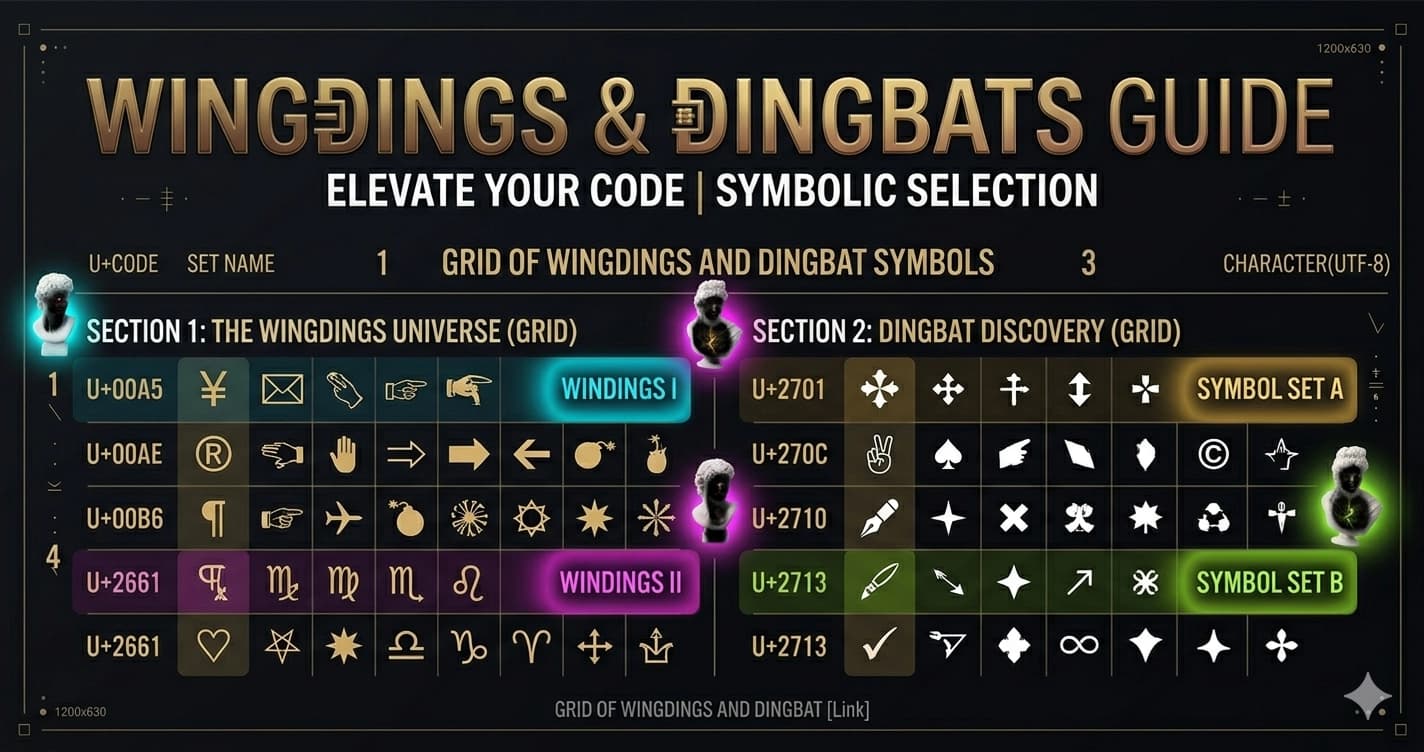
Wingdings, Dingbats, and Symbol Fonts — History, Meaning, and What They Became
Wingdings is the most famous joke font in the history of computing. Most people who know it know it through a narrow window of cultural memory: Microsoft included it in Windows 3.1 in 1990, someone discovered that typing "NYC" produced an sequence of symbols that looked like a skull, Star of David, and thumbs-up (which conspiracy theorists later applied to 9/11), and it became an enduring example of the absurdity of tech culture.
But Wingdings has a real history — rooted in centuries of printing practice, genuinely useful when it was created, and now absorbed into Unicode in ways that affect how you communicate every day. The same goes for its competitors and successors.
This is that history.
Dingbats: The Printing Tradition
Before there was Wingdings, there were dingbats — a printing industry term for decorative and functional ornamental characters that printers kept in their type cases alongside regular letterforms.
The word "dingbat" in the typographic sense dates to at least the early 19th century. Its etymology is uncertain — possibly from "ding" (to strike, as metal type was struck into paper) combined with "bat" as a general suffix for small objects.
Printers' dingbats served practical and decorative purposes:
Decorative uses: Floral ornaments, pointing hands (called "manicules" or "fists"), stars, asterisks, paragraph marks, section marks, and decorative borders used to embellish pages, separate sections, and fill white space in layouts.
Functional uses: Reference marks (†, ‡), bullets for lists, check marks, arrows, and symbols to indicate footnotes or marginalia.
The manicule (☞ or ☛) deserves special mention: a hand with a pointing index finger, used since medieval manuscripts to draw readers' attention to important passages. By the 18th century, printers' type cases included multiple manicule variants as standard dingbat characters. They're still in Unicode today (U+261B, U+261E, U+261D and variants).
The Problem Symbol Fonts Solved
In the pre-Unicode era of computing (roughly 1970s–1990s), text encoding was severely limited. ASCII defined 128 characters. Extended ASCII variants added up to 128 more — enough for accented Western European characters, but nowhere near enough for symbols, ornaments, arrows, and the variety of special characters that documents required.
The solution adopted by Bitstream (the font company) and later Microsoft was the symbol font: a font file where the character positions normally occupied by letters (A, B, C...) were mapped to symbols instead.
In a symbol font, pressing 'A' on the keyboard might produce a pointing arrow rather than the letter A. The encoding relationship was reversed: instead of the font file defining how to draw each Unicode character, the font defined a completely different mapping between keystrokes and glyphs.
This was a hack, but a functional one. Document designers could type symbol characters by switching to the symbol font, pressing the corresponding key, and switching back. The symbols existed in the document as regular text characters — they just rendered differently when the symbol font was applied.
Wingdings: The Microsoft Version
Wingdings was created by Charles Bigelow and Kris Holmes for Microsoft in 1990 and included with Windows 3.1. It drew on an existing font family called Lucida Icons, Arrows, and Stars — part of the Lucida typeface family that Bigelow and Holmes had developed.
The name "Wingdings" is a portmanteau: "wing" (as in the wing of a page, the marginal area where decorative elements appear in layout) + "dingbats." The name was a deliberate reference to the printing tradition.
Wingdings contained 227 symbols organized into rough categories:
- Pointing hands and gestures
- Office and communication symbols (scissors, envelopes, telephones)
- Transportation (airplane, car, ships)
- Weather symbols (sun, cloud, lightning)
- Stars, hearts, diamonds, and geometric shapes
- Religious symbols (cross, Star of David, crescent moon)
- Recreational symbols (playing card suits, game pieces)
- Miscellaneous ornamental characters
Microsoft created two successors: Wingdings 2 and Wingdings 3, which extended the character sets with additional symbols not included in the original.
The NYC Conspiracy: Wingdings and 9/11
In 1992, two years after Wingdings shipped with Windows 3.1, New York Post columnist Joe Queenan reported that typing "NYC" in Wingdings produced a sequence that looked like: skull + Star of David + thumbs-up.
This was interpreted as an antisemitic message hidden in Microsoft's font. The story became a media event. Microsoft maintained the sequence was coincidental — the characters happened to fall in positions corresponding to 'N', 'Y', and 'C' in the ASCII character map, and there was no intentional message.
After the September 11, 2001 attacks, the Wingdings conspiracy theory was reactivated. "Q33 NY" (claimed to be a flight number, though no actual Flight Q33 NY existed on September 11) typed in Wingdings produced: airplane + two rectangles (interpreted as towers) + skull + Star of David.
The conspiracy theory spread widely in the early internet's email forwarding era. Fact-checkers debunked it repeatedly — no flight was numbered Q33 NY, the character sequence depends entirely on which flight number you choose and how you interpret the symbols — but it established Wingdings in cultural memory as "the font with hidden messages."
What Actually Happened
The Wingdings symbol assignments were not random, but they were also not designed to produce meaningful sequences from English words or numbers. The character positions follow the organization of Bigelow and Holmes's Lucida symbol set, which was designed for document layout use.
Any sufficiently large symbol set can produce coincidental patterns when specific letter sequences are chosen. The "conspiracy" is selection bias: of the thousands of possible letter sequences tested, the ones that produce alarming results become notorious; the thousands that don't produce anything meaningful are forgotten.
Symbol (Wingdings' Predecessor at Microsoft)
Before Wingdings, Microsoft shipped Symbol — another symbol font using a different mapping approach. Symbol mapped positions to Greek letters and mathematical symbols rather than pictographic dingbats.
Symbol was designed specifically for mathematical and scientific documents, where Greek letters (α, β, γ, Σ, Ω) and mathematical operators (∞, ±, ≤, ≥) were needed but weren't available in standard text fonts.
Symbol is still shipped with Microsoft Office and widely used in older documents. It's part of the pre-Unicode workaround infrastructure — documents that use Symbol-encoded mathematical symbols will appear as garbage if the Symbol font isn't installed, because the character codes that look like Greek letters in Symbol are actually encoded as regular ASCII characters in the document.
The Unicode Absorption
Unicode directly absorbed the problem that dingbat fonts had been solving.
The Miscellaneous Symbols block (U+2600–U+26FF) and Dingbats block (U+2700–U+27BF) contain most of the symbols from standard dingbat fonts, encoded as real Unicode characters with defined meanings:
From the Dingbats block (U+2700–U+27BF): ✀ ✁ ✂ ✃ ✄ (scissors) ✆ ✇ (telephone symbols) ✈ (airplane) — U+2708 ✉ (envelope) — U+2709 ★ ✩ ✪ ✫ ✬ ✭ ✮ ✯ ✰ (star variants) ✱ ✲ ✳ ✴ ✵ ✶ ✷ ✸ ✹ ✺ (asterisk variants) ✻ ✼ ✽ ✾ ✿ (floral dingbats) ❀ ❁ ❂ ❃ ❄ (snowflakes and florals) ❝ ❞ (quotation marks) ➔ ➕ ➖ ➗ ➙ ➜ ➝ ➞ (arrows) ☞ ☛ ☜ ☚ (pointing hands / manicules)
When these symbols are encoded in Unicode, they don't require a special font. Any Unicode font with coverage for these blocks will render them — and modern operating systems include system fonts that cover these blocks.
The transition to Unicode made the fundamental purpose of dingbat fonts obsolete. The symbols are now in the standard — no font switching required.
Emoji: The Modern Dingbats
The evolution of dingbats in the 21st century leads directly to emoji.
Emoji began as a Japanese mobile carrier extension — NTT DoCoMo engineer Shigetaka Kurita designed the first emoji set in 1999 for i-mode mobile service. The 176 original emoji were functional pictographs for weather, transportation, food, and communication — essentially, a digital dingbat set optimized for mobile messaging.
Unicode adopted emoji beginning with Unicode 6.0 (2010), encoding the original Japanese carrier emoji plus additions. Each subsequent Unicode release has included new emoji — Unicode 15.1 (2023) contains over 3,600 emoji.
Emoji are Unicode characters that function exactly like dingbat characters: pictographic symbols encoded at specific code points, rendered by system fonts (or specialized emoji fonts like Apple Color Emoji) as colorful images. The difference from historical dingbats is rendering complexity — emoji use bitmap or SVG images rather than outline vector glyphs.
The cultural function is identical: pictographic elements that communicate tone, category, decoration, and meaning that text alone can't efficiently convey. Every time you use 🌟 or ✨ or ➡️ in a social media bio, you're using the direct descendants of 19th-century printers' ornaments.
What Happened to Wingdings in the Unicode Era
Wingdings still ships with Microsoft Windows and Office. Legacy documents that use Wingdings symbols remain readable because the font file is present. But Wingdings is no longer a necessary workaround — the symbols it contained are now Unicode characters, accessible from any Unicode-capable application.
The transition created a compatibility problem: documents with Wingdings-encoded symbols are stored differently from documents with Unicode-encoded symbols. A Wingdings checkmark is stored as the letter 'P' with the Wingdings font applied. A Unicode checkmark is stored as U+2713 ✓. They look the same on screen but are fundamentally different in the document data.
Converting old Wingdings documents to Unicode-clean documents requires explicitly mapping each Wingdings character to its Unicode equivalent — a tedious process that's often skipped, leaving documents dependent on the Wingdings font being present.
Wingdings-to-Unicode mapping highlights:
| Wingdings Character | Key | Unicode Equivalent | Code Point |
|---|---|---|---|
| ✓ Checkmark | P | CHECK MARK | U+2713 |
| ✗ Cross | O | BALLOT X | U+2717 |
| ★ Star | Y | BLACK STAR | U+2605 |
| ✦ Four-pointed star | Z | BLACK FOUR POINTED STAR | U+2726 |
| ☎ Telephone | ! | BLACK TELEPHONE | U+260E |
| ✉ Envelope | " | ENVELOPE | U+2709 |
| ✈ Airplane | # | AIRPLANE | U+2708 |
| ☞ Pointing hand | $ | WHITE RIGHT POINTING INDEX | U+261E |
| ♥ Heart | G | BLACK HEART SUIT | U+2665 |
| ☺ Smiley | J | WHITE SMILING FACE | U+263A |
Webdings: Microsoft's Internet-Era Dingbat Font
In 1997, Microsoft released Webdings — a symbol font designed specifically for web use. Webdings contained symbols for common web design needs: globe icons, browser symbols, mail icons, and various interface elements.
Webdings operated on the same pre-Unicode hack as Wingdings: characters at specific ASCII positions were mapped to pictographs. Like Wingdings, Webdings became partially obsolete with Unicode's absorption of symbol characters and completely obsolete with the rise of icon fonts (Font Awesome, Material Icons) and SVG icons for web use.
Webdings is no longer included in Windows by default, unlike Wingdings, which remains in the standard font set.
Decorative Symbol Use Today
The symbols from the dingbat tradition continue in active use, now as native Unicode characters rather than font hacks:
Social media bios: ★ ✨ ♡ ☆ ➜ ✓ and hundreds of other Unicode symbols appear in Instagram bios, TikTok display names, and Discord profiles as functional decorators — separators, emphasis marks, and aesthetic elements.
Text art: Unicode block characters, box-drawing characters, and geometric shapes (from various Unicode blocks) are combined to create ASCII/Unicode art — pictures made from text characters.
Status and availability signals: ✅ ❌ 🔴 🟢 are used in Discord status messages, project management tools, and documentation to communicate status at a glance — functioning exactly as the original functional dingbats did in print.
List markers: Replacing the plain bullet with ➡️ ▸ ✦ or other symbol characters in social media posts and Discord announcements creates visual hierarchy.
Generate Symbol and Dingbat Text
Unicode symbols from the Miscellaneous Symbols, Dingbats, and related blocks are available throughout the Unicode character range and render on all modern platforms. Lettertype generates styled Unicode text across all style families — from Bold and Cursive to Gothic and Vaporwave — plus provides copy-ready Unicode symbol characters for use in any text field.