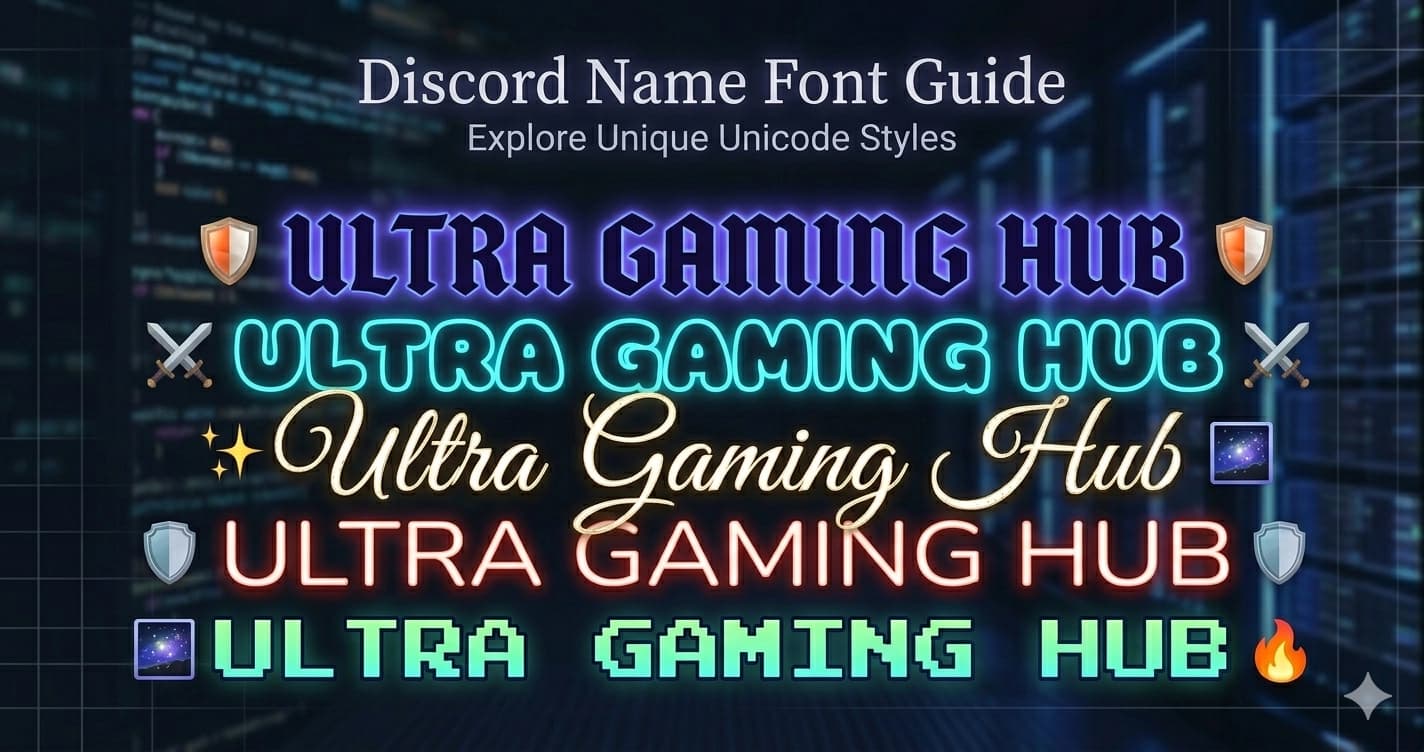
Discord Name Font — How to Get a Styled Font for Your Display Name
You can't install custom fonts on Discord — but you can use Unicode styled characters that look exactly like a different font. Gothic, bold cursive, small caps, vaporwave — all free, no Nitro required, works on every device.
Here's exactly how to do it.
How Discord Name Fonts Work
Discord display names support the full Unicode character set. Unicode includes thousands of characters beyond the standard alphabet — including mathematical symbols and script letterforms that look like styled fonts but are actually plain text characters.
When you set your display name to 𝔇𝔞𝔯𝔨𝔏𝔬𝔯𝔡, you're not using a custom font — you're using characters from the Unicode Mathematical Fraktur block that happen to look like Gothic type. Every Discord user sees the same characters because they're part of the universal Unicode standard.
This means:
- Works for free — no Nitro required
- Displays correctly for everyone, on every device
- No app or plugin needed
- Copy and paste takes 30 seconds
Step-by-Step: Change Your Discord Display Name Font
- Go to Lettertype and type your desired name
- Browse the styles — click the one you want to copy it
- Open Discord → click the gear icon (User Settings) → Profiles
- Paste your styled name into the Display Name field
- Save
Your styled name appears immediately across all servers.
Best Font Styles for Discord Names
𝔊𝔬𝔱𝔥𝔦𝔠 (Old English / Fraktur)
The most popular Discord name style. Dark, medieval letterforms stand out in any member list and immediately signal a strong aesthetic identity.
Example names:
𝔇𝔞𝔯𝔨𝔏𝔬𝔯𝔡 · 𝔖𝔥𝔞𝔡𝔬𝔴𝔚𝔬𝔩𝔣 · 𝔄𝔯𝔠𝔞𝔫𝔢𝔚𝔦𝔷𝔞𝔯𝔡 · 𝔑𝔦𝔤𝔥𝔱𝔖𝔱𝔞𝔩𝔨𝔢𝔯
Best for: Gaming servers, dark fantasy RPG, metal and alternative music, dark aesthetic communities
Generate it: Gothic Font Generator
For a full comparison of all Discord font styles with more examples, see Best Unicode Fonts for Discord.
𝓑𝓸𝓵𝓭 𝓒𝓾𝓻𝓼𝓲𝓿𝓮
Elegant and expressive. Bold cursive reads as a personal brand — more artistic identity than gamer tag. The weight holds up at small sizes in Discord's sidebar.
Example names:
𝓜𝓸𝓸𝓷𝓵𝓲𝓰𝓱𝓽 · 𝓢𝓽𝓪𝓻𝓭𝓾𝓼𝓽 · 𝓔𝓽𝓱𝓮𝓻𝓮𝓪𝓵𝓓𝓻𝓮𝓪𝓶 · 𝓥𝓮𝓵𝓿𝓮𝓽𝓡𝓸𝓼𝓮
Best for: Aesthetic communities, art servers, music Discord, creative spaces
Generate it: Bold Cursive Font Generator
ꜱᴍᴀʟʟ ᴄᴀᴘꜱ
Clean and intentional. Small caps stand out through refinement rather than decoration — a good choice for moderators, community leads, and anyone who wants distinction without drama.
Example names:
ꜱᴇʀᴠᴇʀ ᴀᴅᴍɪɴ · ᴄᴏᴍᴍᴜɴɪᴛʏ ʟᴇᴀᴅ · ᴍᴏᴅᴇʀᴀᴛᴏʀ · ɴɪɢʜᴛ ꜱʜɪꜰᴛ
Best for: Server staff, professional communities, minimalist aesthetics, educational servers
Generate it: Small Caps Font Generator
Vaporwave
Wide, spaced-out full-width characters. The signature aesthetic of lo-fi and retro-digital communities.
Example names:
Vaporghost · Neondrift · AestheticDream
Important: Full-width characters count double in Discord's 32-character display name limit. A vaporwave name has roughly 16 usable characters.
Best for: Lo-fi, aesthetic, vaporwave and synthwave communities
Generate it: Vaporwave Font Generator
𝕯𝖔𝖚𝖇𝖑𝖊 𝕾𝖙𝖗𝖚𝖈𝖌
Mathematical blackboard bold. Popular in STEM, programming, and academic Discord communities.
Example names:
𝕮𝖔𝖉𝖊𝕸𝖔𝖓𝖐 · 𝕷𝖔𝖌𝖎𝖈𝕯𝖊𝖛 · 𝕾𝖞𝖓𝖙𝖆𝖝𝕴𝖓𝖙𝖊𝖑
Best for: Dev servers, programming communities, math and science Discord
Generate it: Double Struck Font Generator
🅑🅤🅑🅑🅛🅔 🅕🅘🅛🅛🅔🅓
Bold filled circles. Immediately eye-catching in member lists. High visibility even at small sidebar sizes.
Example names:
🅑🅤🅑🅑🅛🅔🅖🅐🅜🅔🅡 · 🅜🅔🅖🅐🅜🅘🅝🅓
Best for: Casual gaming, entertainment, meme and comedy servers
Generate it: Bubble Filled Font Generator
Discord Display Name vs. Username — What's the Difference?
This is the most common source of confusion:
| Username (@handle) | Display Name | |
|---|---|---|
| Unicode fonts | ❌ Not supported | ✅ Full support |
| Visible in member list | No | Yes |
| Used for @mentions | Yes | No |
| Character limit | 32 | 32 |
| Can differ per server | No | Yes (nicknames) |
Your @username (used in friend requests and @mentions) is restricted to lowercase Latin letters, numbers, underscores, and periods. No styled fonts here — Discord enforces this at input.
Your display name is what everyone sees in server member lists, in your profile, and next to your messages. This is where Unicode fonts work. Set it once globally, or override it per server with a nickname.
Setting a Different Font Per Server (Nicknames)
Once your display name is styled, consider also styling your Discord bio — the About Me section supports 190 characters and the same Unicode fonts.
Discord lets you set a different display name in each server — called a nickname. This means you can have:
- 𝔇𝔞𝔯𝔨𝔏𝔬𝔯𝔡 in your gaming server
- ᴄᴏᴍᴍᴜɴɪᴛʏ ʟᴇᴀᴅ in your professional server
- 𝓜𝓸𝓸𝓷𝔀𝓪𝓵𝓴𝓮𝓻 in your aesthetic server
All on the same account.
To set a server nickname:
- Right-click your name in the server member list
- Select Edit Server Profile
- Change the Server Nickname field
- Save
Your nickname overrides your display name within that server only.
Character Limit and Unicode Fonts
Discord display names and nicknames have a 32-character limit. Unicode styled characters generally count as 1 character each — a 10-letter Gothic name is 10 characters, same as plain text.
Exception — Vaporwave (full-width) characters: These count as 2 characters each due to their byte width. A 16-letter vaporwave name hits the 32-character limit.
Exception — Emoji: Standard emoji count as 2 characters. A display name with 2 emoji and a 10-letter name uses 14 characters total.
For a complete breakdown of every Discord field limit, see the Discord character limits guide.
| Style | Effective characters in 32-char limit |
|---|---|
| Gothic, Bold Cursive, Small Caps, Double Struck | 32 characters |
| Vaporwave (full-width) | ~16 characters |
| Name + 2 emoji | 32 − 4 = 28 characters of text |
Does Nitro Give You More Font Options?
No. Nitro does not unlock any additional Unicode font styles. Every Unicode styled character available on Discord is accessible for free — because they're standard Unicode characters, not a Discord feature.
Nitro benefits include animated avatars, animated emoji, server boosts, and higher upload limits. None of these affect which Unicode characters you can use in your display name.
Why Your Styled Name Might Not Show Correctly
In @mentions: When someone @mentions you, Discord uses your username (the restricted one), not your display name. @mentions always show the plain username.
In search: Discord's member search works on usernames and display names, but styled Unicode characters aren't searchable as plain text. If someone tries to find you by typing your name normally, they may need to scroll.
On very old Android devices: A small number of extremely old Android versions don't render certain Unicode blocks. The most common styles (Gothic, Bold Cursive, Small Caps) render on essentially all modern devices.
Generate Your Discord Name Font
Try all styles at Lettertype — type your name and see every Unicode style instantly. The Gothic Generator, Bold Cursive Generator, and Small Caps Generator are the most popular for Discord display names.
Click to copy, paste into Discord Settings → Profiles → Display Name. Done in 30 seconds.