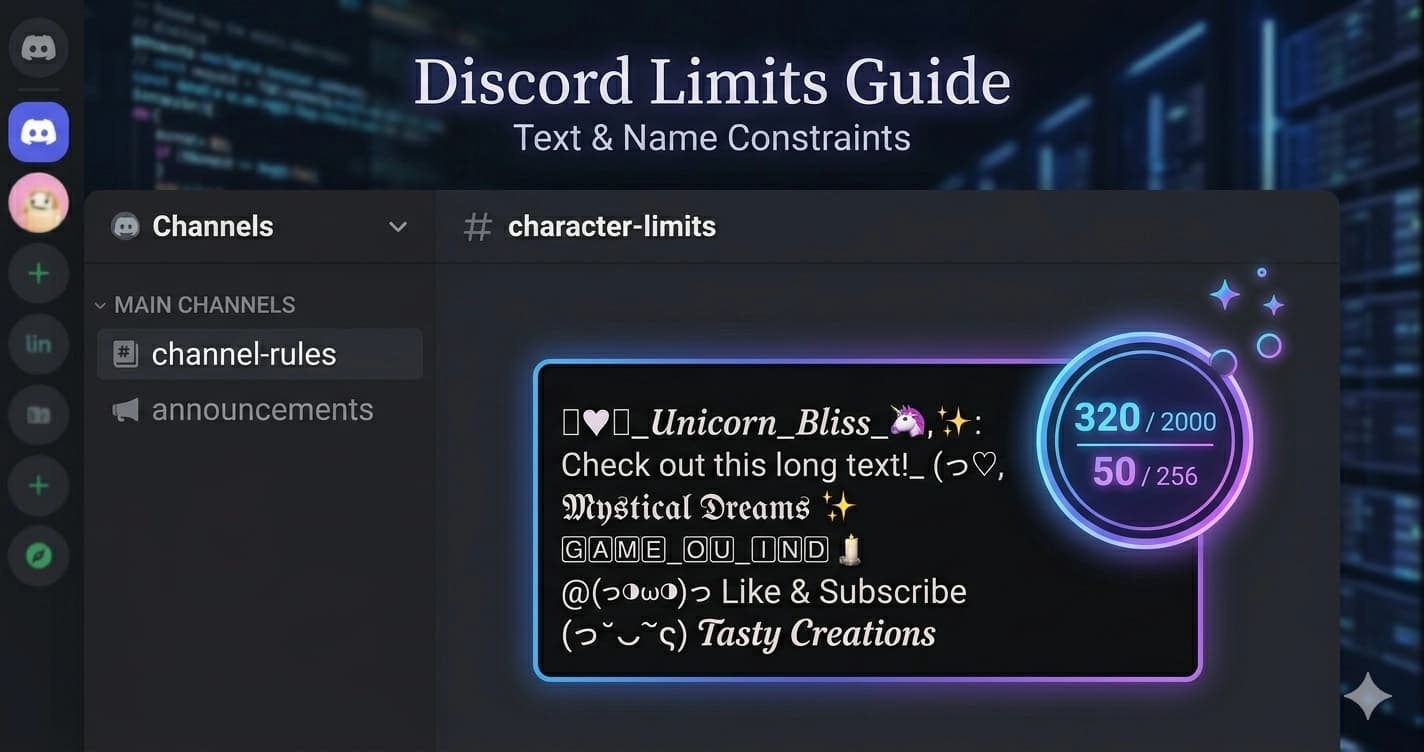
Discord Character Limits & Unicode Fonts — The Complete Field Guide
Discord has 227 million monthly active users and one of the most confusing field restriction systems of any major platform. The username character limit is different from the display name limit. Unicode fonts work in some fields and not others. Nitro doesn't change any of it. And the sidebar truncates server names long before you hit the technical maximum.
Quick answer: Yes, Discord supports Unicode characters in messages, display names, bios, and most text fields — no Nitro required. Fancy fonts, Gothic text, cursive, and other Unicode styles are free for everyone.
This guide covers every field, every limit, and exactly which Unicode font styles work where — with no guesswork.
The Fastest Answer: Username vs. Display Name
Most confusion on Discord comes from one misunderstanding: your username and your display name are completely different things, with completely different rules.
| Feature | Username | Display Name |
|---|---|---|
| Character limit | 32 | 32 |
| Unicode support | No (Latin only) | Yes (full Unicode) |
| Special characters | _ and . only | All allowed |
| Emojis | No | Yes (count as 2 chars) |
| Spaces | No | Yes |
| Changes per server | No (global) | Yes (server nickname) |
| Searchable by others | Yes | Limited |
| Used in @mentions | Yes | No |
The key insight: Your username — the one used in @mentions and friend requests — is restricted to lowercase Latin letters, numbers, underscores, and periods. No styled Unicode, no emojis, no spaces.
Your display name — the one people actually see in server member lists and your profile — supports full Unicode. That's where styled fonts, emojis, and special characters live.
You can have a plain username like darkstar.99 and a display name like 𝓓𝓪𝓻𝓴 𝓢𝓽𝓪𝓻 ✦ — the Gothic username + styled display name combination is a common approach.
Complete Discord Character Limits Table
Every field in Discord, with the exact limits and practical notes:
| Field | Minimum | Maximum | Unicode? | Practical Limit |
|---|---|---|---|---|
| Username | 2 | 32 | No | 32 (global) |
| Display Name | 1 | 32 | Yes | 32 |
| Server Nickname | 1 | 32 | Yes | 32 (per server) |
| Bio / About Me | 0 | 190 | Yes | 190 |
| Server Name | 2 | 100 | Yes | ~30 (sidebar truncates) |
| Channel Name | 1 | 100 | Yes | ~30 (sidebar truncates) |
| Role Name | 1 | 100 | Yes | ~15–20 (mention readability) |
| Regular Message | — | 2,000 | Yes | 2,000 |
| Bot Embed | — | 4,096 | Yes | 4,096 |
| Direct Message | — | 2,000 | Yes | 2,000 |
Important Notes on "Practical Limits"
The technical maximum and the usable maximum are different things.
Server names cap at 100 characters, but Discord's sidebar displays roughly 22–30 characters before truncating with an ellipsis. A 60-character server name looks fine on the server settings page and gets cut off everywhere members actually see it.
Role names have a 100-character technical limit, but role names appear in the member list, in @role mentions, and in the role management panel. Anything beyond 15–20 characters becomes unwieldy in mentions and cluttered in the member list.
Channel names automatically convert spaces to hyphens and force lowercase. My Cool Channel becomes my-cool-channel. Unicode is supported in the technical sense, but Discord's channel name sanitization strips many special characters.
Where Unicode Fonts Work on Discord
Unicode styled text — Gothic, Bold Cursive, Vaporwave, Double-Struck, and others — works by using characters from Unicode blocks that visually resemble styled letters but are technically distinct characters. They work anywhere Discord renders text without restriction.
✅ Fields Where Unicode Fonts Work
Display Name — Full Unicode support. This is the primary place to use styled fonts. Your display name appears in the server member list, in replies, in your profile, and anywhere your username is shown to people in a server.
Bio / About Me — Full Unicode. 190 characters, styled fonts and emojis work freely. Good for a short styled tagline or aesthetic statement. For bio ideas and examples, see the Discord bio ideas guide.
Server Name — Unicode works technically. Keep in mind the 30-character practical display limit; a styled name in Gothic or Bold Cursive will read well at short lengths.
Role Names — Unicode works. Many servers use styled role names (𝓥𝓸𝓵𝓾𝓷𝓽𝓮𝓮𝓻, 𝔐𝔬𝔡𝔢𝔯𝔞𝔱𝔬𝔯, ꜱᴛᴀꜰꜰ) to add visual hierarchy to their member list.
Messages — Full Unicode. Every message type supports styled fonts — regular chat, DMs, bot messages, announcements. The 2,000-character limit applies, with emojis counting as 1–2 characters.
❌ Fields Where Unicode Fonts Don't Work
Username — No Unicode. Lowercase alphanumeric, underscore (_), and period (.) only. Consecutive periods are not allowed. Attempting to use Unicode characters in a username will either be rejected or silently stripped.
Channel Names — Technically supports Unicode in the database, but Discord's sanitization process converts most special characters and spaces. Standard Latin characters are safest.
Emoji Note
Emojis in display names and bios count as 2 characters against the limit, not 1. Standard Unicode emoji (U+1F000 range) are rendered from Discord's emoji set. If you're close to the 32-character limit on a display name with emojis, plan accordingly.
Does Nitro Change Any of This?
No. Discord Nitro does not increase character limits for usernames, display names, or bios.
Nitro benefits include animated avatars, animated emoji in messages, server boosts, higher upload limits, and (previously) the ability to choose a custom discriminator. None of these touch field character limits.
This is a common misconception. The 32-character display name limit and 190-character bio limit are the same for free accounts and Nitro subscribers.
Discord Native Markdown Formatting
Before using Unicode fonts, it's worth knowing what Discord formats natively through Markdown. These work in messages, bot embeds, and some profile fields:
| Effect | Syntax | Result |
|---|---|---|
| Bold | **text** | text |
| Italic | *text* or _text_ | text |
| Underline | __text__ | text |
~~text~~ | ||
Inline code | `text` | text |
| Code block | ```text``` | code block |
| Spoiler | ||text|| | hidden until click |
| > Quote | > text | blockquote |
Key difference from Unicode fonts: Markdown formatting works only in messages — it does not work in display names, bios, or server names. Unicode styled text works in all of those.
You can combine both: a display name set in Bold Cursive Unicode, with messages that use Markdown bold and italics on top.
Which Font Styles Work Best in Discord's Interface
Discord uses a dark interface by default (with a light mode option). Font readability on dark backgrounds is worth factoring into your choice.
| Style | Example | Readability on Dark | Best For |
|---|---|---|---|
| Gothic / Fraktur | 𝔇𝔞𝔯𝔨 𝔏𝔬𝔯𝔡 | Good — high contrast | Gaming, dark aesthetic servers |
| Bold Cursive | 𝓓𝓪𝓻𝓴 𝓛𝓸𝓻𝓭 | Good — distinctive | Aesthetic, art, creative servers |
| Small Caps | ᴅᴀʀᴋ ʟᴏʀᴅ | Excellent — clean | Minimalist, professional servers |
| Double-Struck | 𝔻𝕒𝕣𝕜 𝕃𝕠𝕣𝕕 | Good — mathematical feel | STEM, academic, nerd culture servers |
| Vaporwave | Dark Lord | Fair — wide spacing | Retro, aesthetic, 80s-themed servers |
| Monospace | 𝙳𝚊𝚛𝚔 𝙻𝚘𝚛𝚍 | Good — clean, technical | Dev, tech, programming servers |
| Italic | 𝐷𝑎𝑟𝑘 𝐿𝑜𝑟𝑑 | Good | Elegant, subtle styling |
Considerations for Dark Mode
High-contrast styles (Gothic, Bold Cursive) stand out clearly against Discord's dark grey background (#313338). Vaporwave's wide character spacing can make long display names feel spacious but can also truncate awkwardly in the sidebar at narrow window widths.
Small Caps is underrated for Discord: it renders cleanly at small sizes, works at any window width, and looks distinctive without being hard to read.
Unicode Font Styles and Character Count
Unicode styled characters count as 1 character each against Discord's limits, not as multiple characters. A 10-letter display name in Gothic Unicode is still 10 characters, the same as in plain text.
The exception is emojis — standard emoji characters take 2 character slots.
This means a 32-character limit in Unicode is still a full 32 characters of actual text. Vaporwave full-width characters (like this) also count as 1 character each despite their visual width.
Building a Styled Discord Identity
For a full guide on picking the right font style for your display name, see Discord Name Font. For font style comparisons and examples across all Discord fields, see Best Unicode Fonts for Discord.
The combination most users land on:
- Username — Plain, simple, lowercase. This is your permanent global ID.
- Display Name — Styled with Unicode. This is what people see.
- Bio — 190 characters of styled text, emojis, or a short aesthetic statement.
- Server Nicknames — Override display name per-server for different contexts.
This lets you maintain a consistent, searchable username while presenting a fully styled visual identity in every server.
For servers you manage, the same logic applies at scale: plain channel names for URL-safety and searchability, styled server name and role names for visual identity.
Discord by the Numbers (2024–2025)
Understanding Discord's scale helps understand why font aesthetics matter as much as they do on this platform. Identity signaling in a server with 10,000 members is a different context than a 10-person group chat.
| Metric | Number |
|---|---|
| Monthly Active Users | 227.7 million |
| Daily Active Users | 29 million |
| Total Registered Users | 614 million |
| Year-over-Year Growth | 16% (2023–2024) |
| Projected MAU by Q4 2026 | 300+ million |
| Largest user region | Asia-Pacific (34%) |
The platform has moved well beyond its gaming origins. Today Discord hosts communities around music, art, writing, education, politics, investment, and nearly every other area of interest — each with its own aesthetic norms and font culture.
Gaming Communities vs. Non-Gaming Servers
Discord grew from gaming, and font aesthetics still break roughly along that cultural line.
Gaming servers tend toward high-contrast, aggressive styling: Gothic and Fraktur for dark fantasy and RPG servers, bold sans-serif styling for competitive gaming, monospace and technical styling for strategy and simulation communities.
Art and aesthetic servers use more varied styling: Bold Cursive and Italic for creative communities, Vaporwave for retro-digital aesthetics, Small Caps for minimalist art accounts.
Professional and educational servers often avoid heavy Unicode styling altogether, or use Small Caps for subtle distinction without losing readability. A study group server has different norms than a metal music server.
Understanding the aesthetic of the server type you're building or joining helps calibrate which font style signals the right identity. Gothic in a knitting server reads as mismatched. Gothic in a dark fantasy RP server reads as commitment.
Frequently Asked Questions
Does Discord support Unicode characters in messages?
Yes. Discord messages fully support Unicode characters — Gothic text, cursive, bold, vaporwave, and any other Unicode styled text copies and pastes into Discord chat and displays correctly for all recipients. No special settings required.
Do you need Nitro for Unicode fonts or fancy text on Discord?
No. Unicode styled text is completely free on Discord. Nitro does not unlock any additional Unicode support. The same Gothic, Bold Cursive, Double-Struck, and other Unicode styles that work for free accounts also work for Nitro subscribers — because they're just Unicode characters, not a Discord feature.
What characters are allowed in Discord usernames?
Discord usernames allow lowercase Latin letters (a–z), numbers (0–9), underscores (_), and periods (.). Unicode characters, emojis, and spaces are not allowed in usernames. Consecutive periods are also not permitted.
What characters are allowed in Discord display names?
Display names support the full Unicode character set including styled fonts (Gothic, Bold Cursive, Vaporwave, etc.), emoji, and spaces. The limit is 32 characters. Emojis count as 2 characters each.
What characters are allowed in Discord nicknames?
Server nicknames follow the same rules as display names — full Unicode support, 32-character limit. Nicknames override your display name within a specific server, so you can use different styled text in different servers.
What characters are allowed in Discord server names?
Server names support Unicode characters including styled text and emoji. The technical limit is 100 characters, but Discord's sidebar truncates names at roughly 22–30 characters. Keep server names short for practical readability.
What characters are allowed in Discord role names?
Role names support Unicode characters. The technical limit is 100 characters, but role names appear in @mentions and the member list — keep them under 20 characters for usability.
What characters are allowed in Discord channel names?
Channel names have Unicode support in the database, but Discord sanitizes input — spaces become hyphens, many special characters are stripped. Standard Latin letters, numbers, and hyphens are safest for channel names.
Does Discord support Unicode in the "About Me" bio?
Yes. The bio / About Me section supports 190 characters of full Unicode text including styled fonts and emoji. This is one of the best places to use styled Unicode text because it's displayed at readable size on your profile.
Can you use Unicode characters in Discord custom status?
Yes. The custom status field supports Unicode characters. The character limit is 128 characters. Emoji in status count as 2 characters each.
Does discord nickname allow Unicode characters without Nitro?
Yes. Server nicknames support full Unicode with no Nitro required. You can set a different styled Unicode nickname in each server you're a member of — right-click your name in the member list and select "Edit Server Profile."
Does discord display name support Unicode characters without Nitro?
Yes. Display names have full Unicode support for all Discord accounts regardless of Nitro status. To update your display name: User Settings → Profiles → Display Name.
Try Discord-Ready Unicode Fonts
Generate styled text for your Discord display name, bio, or server name at Lettertype's Gothic Generator, Bold Cursive Generator, Vaporwave Generator, Small Caps Generator, and Monospace Generator.
Copy directly from the generator and paste into Discord. No app required, no install — Unicode styled text works on every device and operating system that Discord runs on.