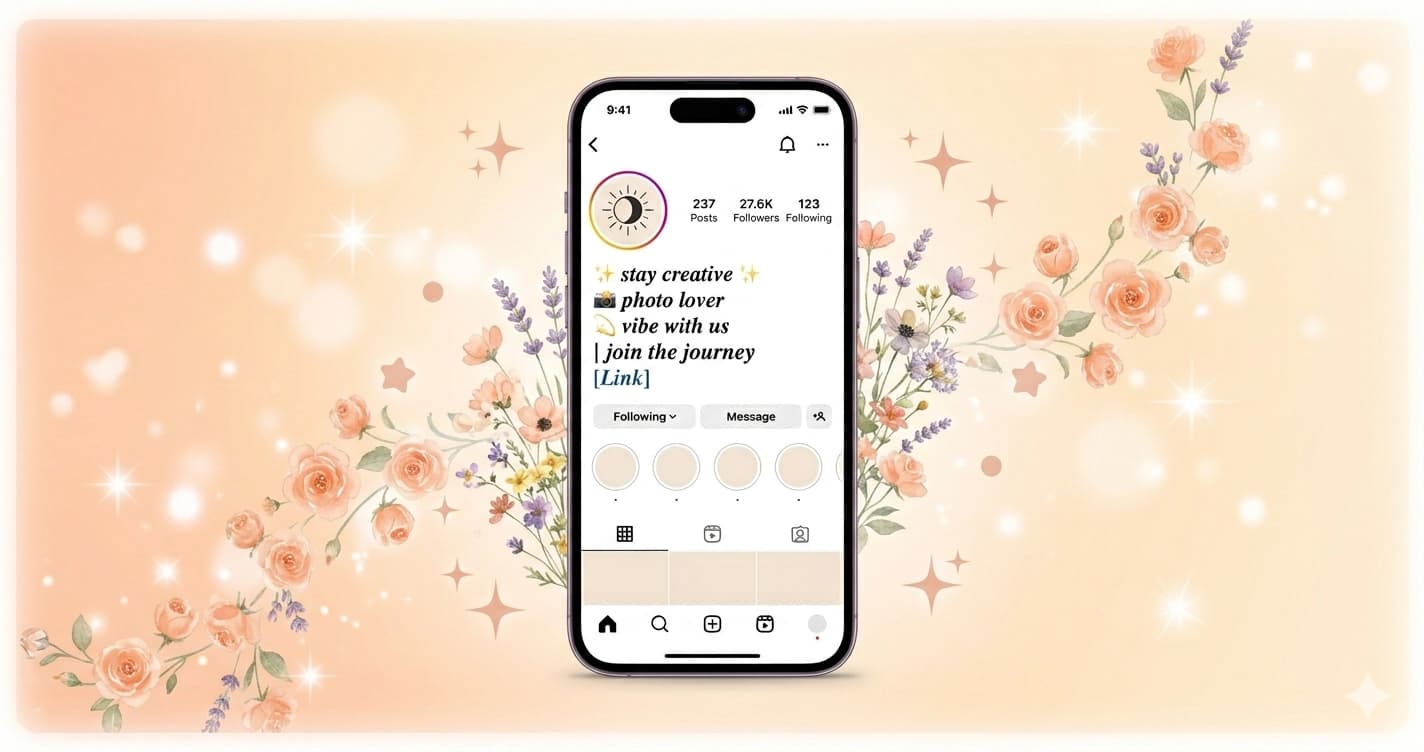
Instagram Bio Fonts — Character Limits, Unicode Support, and What Actually Works
Instagram doesn't offer font choices. The app uses one typeface — a version of Meta-optimized sans-serif — and gives you no settings to change it. Yet millions of profiles use bold cursive, gothic, small caps, bubble text, and other styled fonts in their bios, captions, and names.
This works because of Unicode. And understanding exactly how it works — which fields support it, where it breaks, what the actual character limits are — is the difference between a profile that looks intentional and one that looks broken.
Every Instagram Character Limit in One Table
| Field | Character Limit | Unicode Support | Notes |
|---|---|---|---|
| Username | 30 | No — Latin, numbers, periods, underscores only | Global; used in @mentions and URL |
| Name (display) | 30 | Yes — full Unicode | Shown on profile, appears in search |
| Bio | 150 | Yes — full Unicode, line breaks allowed | 5 lines max; emojis count as 1–2 chars |
| Caption | 2,200 | Yes | First 125 chars visible before "more" |
| Comment | 2,200 | Yes | |
| Story text | No enforced limit | Yes | Visual constraint from canvas size |
| Hashtag | 100 per post | Plain only in # itself | Text content can be styled |
| Alt text | 100 | Limited | Accessibility field; plain text preferred |
What "First 125 Characters" Means for Captions
Instagram collapses captions after approximately 125 characters on the feed view, showing a "…more" link. On profile grid view, captions aren't shown at all — only the image.
The practical consequence: the first 125 characters of a caption are your headline. Whatever you put there needs to work as a standalone hook. Styled Unicode fonts in this space draw the eye before the user decides whether to tap "more."
Username vs. Name: The Critical Distinction
Like most platforms, Instagram separates two concepts that look similar but behave completely differently:
Username (@yourhandle) — the identifier used in @mentions, your profile URL (instagram.com/yourhandle), and search. Restricted to Latin letters (a–z), numbers (0–9), periods (.), and underscores (_). No Unicode, no emojis, no spaces. 30 character maximum.
Name (the display name shown on your profile above your bio) — fully supports Unicode. 30 character maximum. This is where styled fonts live.
You can have @username as your plain handle and 𝓝𝓪𝓶𝓮 𝓗𝓮𝓻𝓮 as your display name. The username stays searchable and linkable; the display name creates visual identity.
Important: The Name field appears in Instagram's Explore search results alongside your username. A styled name in Bold Cursive or Small Caps makes your profile visually distinct in search results — which affects click-through rate before anyone lands on your profile.
The Bio: 150 Characters, 5 Lines, Maximum Flexibility
Instagram's bio is 150 characters, which sounds constraining but is actually generous when you understand how to use it.
Line breaks are supported — Instagram renders line breaks in bios, unlike some platforms that collapse them. Five lines of ~30 characters each is the typical structure for a well-formatted bio.
What works in the bio:
- All Unicode styled fonts (Bold Cursive, Gothic, Small Caps, Italic, Double-Struck, Vaporwave, Bubble, Monospace)
- Emoji (each counts as 1–2 characters against the 150 limit)
- Line breaks
- Special Unicode symbols (✦ ✧ · ★ ◦ etc.)
What doesn't work:
- HTML or Markdown formatting — Instagram doesn't parse
**bold**or*italic* - Actual hyperlinks in bio text (clickable links only work in the dedicated "Link in bio" field)
Character Budget Planning
With 150 characters and 5 lines, a typical structure:
Line 1: Name / role (30 chars) — most styled
Line 2: What you do (30 chars) — content or niche
Line 3: Location or context (25 chars)
Line 4: A short value statement (35 chars)
Line 5: CTA or link reference (30 chars)
Styled Unicode characters count as 1 character each against the limit, same as plain text. An emoji typically counts as 2 characters. A bio line in Bold Cursive takes the same character budget as the same line in plain text.
Which Font Styles Work Best on Instagram
Instagram's visual-first format rewards aesthetic consistency. The font style you choose signals your content category and audience before anyone reads a word.
| Style | Example | Best For | Platform Rendering |
|---|---|---|---|
| Bold Cursive | 𝓑𝓸𝓵𝓭 𝓒𝓾𝓻𝓼𝓲𝓿𝓮 | Lifestyle, beauty, fashion, coquette | Excellent — renders on all devices |
| Italic | 𝐼𝑡𝑎𝑙𝑖𝑐 | Elegant, minimal, editorial | Excellent |
| Small Caps | ꜱᴍᴀʟʟ ᴄᴀᴘꜱ | Minimalist, professional, subtle | Excellent |
| Gothic | 𝔊𝔬𝔱𝔥𝔦𝔠 | Dark aesthetic, metal, streetwear | Excellent |
| Bubble | ⓑⓤⓑⓑⓛⓔ | Y2K, playful, Gen Z | Good — slightly heavy visually |
| Double-Struck | 𝔻𝕠𝕦𝕓𝕝𝕖 | Dark academia, STEM aesthetic | Good |
| Vaporwave | VAPOR | Retro, aesthetic, wide spacing | Fair — takes more character budget |
| Monospace | 𝚖𝚘𝚗𝚘𝚜𝚙𝚊𝚌𝚎 | Tech, dev, typewriter aesthetic | Good |
The Mobile Rendering Reality
Instagram is primarily a mobile app. Your profile bio renders in a relatively small font size on most phones — smaller than it appears in the desktop browser. This matters for font style choice:
Styles that stay readable at small sizes: Small Caps, Italic, Bold Cursive, Gothic. These styles have good x-height and maintain letterform distinction even at 13–14px.
Styles that can muddy at small sizes: Very heavy Unicode symbols or styles with complex combining marks may render with less clarity on small screens. Vaporwave's wide characters take more horizontal space, which can cause line wrapping that breaks your intended layout.
Test your bio on mobile, not desktop, before finalizing.
How Unicode Fonts Work on Instagram (And Why They Work Everywhere)
Instagram doesn't "support" styled fonts in the sense of having a font selector. What it does is accept the full Unicode character set — and Unicode contains characters from various Mathematical and Letterlike Symbol blocks that visually resemble styled Latin letters.
When you paste 𝓗𝓮𝓵𝓵𝓸 into your Instagram bio, Instagram sees five distinct Unicode code points, not the word "Hello" in a cursive font. The characters render using whatever Unicode support the device's operating system provides — which on iOS and Android in 2026 means they render correctly on essentially every device.
The practical consequence: styled Unicode text looks the same to everyone who views your profile, regardless of their device, operating system, or Instagram app version. A Bold Cursive name doesn't require the viewer to have any particular font installed.
The one exception: extremely old devices (pre-2015 smartphones, outdated operating systems) may render some Unicode blocks as empty boxes. This is increasingly rare and affects an insignificant fraction of Instagram's user base.
Building an Aesthetic-Consistent Profile
Instagram profiles are judged holistically — the username, name, bio, highlights, and grid all form a visual identity. Styled fonts should be part of a consistent visual language, not isolated elements.
Name + Bio Consistency
If your display name is in Bold Cursive, your bio benefits from either:
- Continuing with Bold Cursive for the most styled elements (headline line, key phrases)
- Using plain text with strategic emphasis — Bold Cursive name, plain bio with emoji accents
Full-Bold-Cursive bios can feel heavy. A common approach is to style one or two key lines (typically the first and last) and leave the middle in plain text or with just emoji accents.
Highlight Cover Consistency
Instagram Highlight covers are images, not text — so Unicode fonts don't directly apply. But the aesthetic direction you establish with your bio fonts should carry through to your highlight cover design. Gothic bio → dark/moody highlight covers. Bold Cursive bio → elegant/script highlight cover text.
Caption Style
Unlike bios, captions benefit from mostly plain text for readability. Styled Unicode in long captions is harder to read than in short bio lines. The common approach: use styled fonts for the opening hook (the first 125 visible characters), then switch to plain text for the body.
Instagram's Algorithm and Styled Text
A practical question: does using Unicode fonts in your bio or captions affect how Instagram's algorithm treats your content?
In bios: Instagram uses bios for profile classification (determining your niche and content category for recommendations). Styled Unicode text doesn't index as keywords the way plain text would — 𝒻𝒶𝓈𝒽𝒾𝑜𝓃 is not algorithmically equivalent to fashion as a searchable term. If keyword relevance in your bio matters for discovery, include the plain-text version of your primary keyword somewhere.
In captions: Hashtags must be in plain Latin characters to be searchable — #𝒻𝒶𝓈𝒽𝒾𝑜𝓃 is not the same as #fashion and won't function as a hashtag. Use plain hashtags. The rest of the caption can be styled.
In the Name field: The Name field is indexed for search. A name like 𝓢𝓸𝓯𝓲𝓪 𝓜𝓸𝓻𝓮𝓷𝓸 may appear in search for "Sofia Moreno" or may not, depending on how Instagram's search processes Unicode. Including your real name or key term in plain text somewhere (username or a second line in the bio) is safer for searchability.
Instagram by the Numbers (2024–2025)
| Metric | Number |
|---|---|
| Monthly Active Users | 2 billion+ |
| Daily Active Users | 500 million+ |
| Stories posted daily | 500 million |
| Average time on app per day | 30 minutes |
| Posts with at least one hashtag | 88% |
| Profiles that use emoji in bio | ~70% (estimated) |
With 2 billion users and a platform built entirely around visual identity, profile aesthetics matter more on Instagram than virtually any other platform. The fraction of a second a viewer spends on your profile before deciding to follow is determined almost entirely by visual signals — your grid, your photo, and the typography of your bio and name.
Aesthetic Profiles by Content Type
Different content niches have developed distinct typographic conventions on Instagram:
| Niche | Common Font Style | Typical Bio Structure |
|---|---|---|
| Beauty / Fashion | Bold Cursive, Italic | Name styled + emoji accents + location |
| Fitness | Bold, Small Caps | Achievement-focused, plain or Small Caps |
| Dark aesthetic | Gothic, Double-Struck | Minimal, quote-heavy, lowercase |
| Cottagecore / Nature | Cursive, Italic | Warm, descriptive, emoji-heavy |
| Tech / Developer | Monospace, Small Caps | Credentials + link |
| Art / Illustration | Bold Cursive or Italic | Style description + commission status |
| Food | Plain + emoji | Location, restaurant tag, delivery links |
| Y2K / Gen Z aesthetic | Bubble, Bold | Short, punchy, heavy emoji use |
These conventions exist because audiences have developed expectations within each niche. A Gothic bio on a fitness account creates cognitive dissonance. A clean Small Caps bio on a dark aesthetic account signals restraint and intentionality. Following the visual language of your niche makes your profile immediately legible to your target audience.
Generate Instagram-Ready Unicode Fonts
Every style in this guide is available at Lettertype — type your bio text, name, or caption and copy directly into Instagram.
- Bold Cursive — Bold Cursive Generator
- Gothic — Gothic Font Generator
- Small Caps — Small Caps Generator
- Italic — Italic Generator
- Bubble — Bubble Text Generator
- Vaporwave — Vaporwave Generator
- Double-Struck — Double-Struck Generator
- Monospace — Monospace Generator
No account required, no download, no install. Generate, copy, and paste directly into Instagram's bio or name field.
For a ranked comparison of the best Instagram bio font styles with visual examples, see Best Fonts for Your Instagram Bio. For a step-by-step setup walkthrough, see How to Use Unicode Fonts on Instagram.